Barion Pixel
Solution · Café

Grind.
Steam.
Hand it over.

POS, kiosk, QR ordering, stamp card and stock in one system, in the browser. Tuned for the six situations that make a café's day hard, from the morning rush to the display case after closing.

No server under the counter: a tablet, a card terminal and internet. Guests don't need to download an app.

Illustration: the Ristretto Café bar during the morning shift. Orders from the counter, the kiosk and the table QR codes arrive in one list, showing the milk, extra shot and syrup, and whether it's eat in or takeaway. Each moves from New to Making to Ready, and on the order display it moves to Ready. At the top: today's coffees, the takeaway share and today's sales. Next to it, a regular's stamp card: every paid order is a stamp, and the tenth gets a free coffee.
01. Behind the counter

Six situations every café owner knows.

For each one, a simple example shows what Qriosum does. The examples are live: go ahead and click.

  1. 01 Morning rush
  2. 02 Milk, shot, syrup
  3. 03 Stamp card
  4. 04 Display case and milk
  5. 05 Staffing
  6. 06 Laptop guests
01Morning rush

Between 7:30 and 9:30 everyone is in a hurry, and everyone is standing at the till.

Most of the morning trade is packed into two hours, and guests are watching for their tram, not your coffee. The bottleneck isn't the espresso machine but taking orders and payments: while the barista is at the till, no coffee gets pulled.

How Qriosum solves it

A kiosk by the door takes over ordering and payment.

The guest picks a flat white with oat milk, pays by card at the kiosk's terminal, and the order goes straight to the counter. The order display shows them when to collect it, so nobody has to shout out numbers.

Self-service kiosk: details

Kiosk · 8:10 a.m. · illustration

The queue orders at the kiosk. The barista pulls shots.

Ristretto

0 items · Takeaway0 Ft

Paid at the kiosk
18
At the counter
9

A kiosk order goes to the same place as a counter order: the barista accepts it, makes it, and the number moves to Ready on its own.

An illustration you can try: a café's kiosk and the order display above the counter. At the kiosk you choose eat in or takeaway, build your order and pay by card at the terminal. Your order number appears in the display's Preparing column, then moves to the Ready column. Meanwhile, other guests' orders move along too.
02Milk, shot, syrup

Oat milk, an extra shot, to go. And the new colleague doesn't know the surcharge by heart.

One coffee, ten variations. If the surcharge lives in someone's head or in a note, it either goes missing from the bill or the wrong drink gets made. Both cost money, and at peak time both happen more often.

How Qriosum solves it

The milk, shot and syrup options are right there at the POS, with their prices.

You tap the flat white: oat milk, one extra shot, to go. The price updates on its own, the item's VAT rate adjusts for takeaway, and the cup and lid come off stock too. The barista sees on the order what to make.

POS system: details

POS · options · illustration

Ten variations, each one tap. The surcharge adds itself.

Flat white

Base price 1,190 Ft

Milk pick one

Extra shot +350 Ft each

Syrup +200 Ft

Eat in or take away

An illustration you can try: the POS product window for a flat white. Milk options with surcharges, extra shots by count, syrup and eat in or takeaway. Next to it, the order going to the counter, item by item, and the total, which updates with every choice, with the VAT rate matching eat in or takeaway; below it, what comes off stock: coffee, milk, syrup, and for takeaway the cup and lid too.
03Stamp card

The paper stamp card stays at home, gets soaked, or piles up in a coat pocket.

Ten stamps, one free coffee: guests love it, but on paper you don't know how many cards are out there, who redeemed when, and what the stamps actually sell. If the card gets lost, so does the guest's enthusiasm.

How Qriosum solves it

The stamp card lives in the POS, and every paid order adds a stamp.

A barcode scanner reads the regular's 8-digit card number, and the stamp comes with the payment. If they're logged in when ordering by QR, it happens on its own. When the card is full, they redeem the free coffee with one tap.

Loyalty program: details

Stamp card · POS · illustration

A free coffee after ten stamps. No paper, right in the POS.

POS · #214 · open

Visit 9

Anna Kovács

Card number 4821 0937

Stamp card · 10 stamps = 1 free coffee8 / 10

  • Cappuccino990 Ft

Amount due990 Ft

An illustration you can try: a stamp card in the POS. You scan the regular's 8-digit card number, and every paid order adds a stamp to the card. At the tenth stamp the free coffee becomes available; you redeem it with one tap and it goes on the order for free. Next to it, the guest's phone shows the same status in the QR menu.
04Display case and milk

After closing there are six croissants in the display case and an expired oat milk in the fridge.

Pastries and milk don't last. If you don't see how much goes to waste and why, you'll order the same amount tomorrow, and the loss quietly ends up in the bin.

How Qriosum solves it

You record waste with a reason at the POS and see what it's worth at purchase cost.

Before closing you open the Waste page: four croissants Expired, one oat milk Spoiled. The system takes them off stock, shows their value, and later you can look them up on the waste list by date and reason.

Inventory: details

Waste · closing 18:05 · illustration

What didn't sell comes off stock, with a reason.

Draft
  • Butter croissantIn stock 6 pcs · cost 245 Ft
  • Cocoa rollIn stock 3 pcs · cost 210 Ft
  • Cheese pogácsa (scone)In stock 9 pcs · cost 85 Ft
  • Oat drink 1 lIn stock 6 cartons · cost 690 Ft
  • Cow's milk 1 lIn stock 7 cartons · cost 520 Ft

Estimated value · last purchase price≈ 2,090 Ft

An illustration you can try: end-of-day waste on the POS Waste page. For each item you set how much goes out and why: expired, spoiled, damaged, preparation error, tasting or other. Before recording, you see the value estimated at the last purchase price; after recording, the FIFO value of the lots taken off stock. The recorded write-off goes onto the waste list with its date, reason and value.
05Staffing

On Tuesday afternoon there are two of you behind the counter; on Saturday morning you're drowning alone.

Wages are one of your biggest costs. If the rota is based on gut feeling, you either pay for a shift you didn't need or lose guests at the peak who won't wait.

How Qriosum solves it

The report shows by day of the week and hour when the trade comes in.

On the heat map you see that the week's peak is Saturday between 9 and 11, and hardly anyone comes in on Tuesday after 14:00. You plan the rota and the morning baking around that, not around a hunch.

Reports: details

Report · last 4 weeks · illustration

When do you need two baristas, and when is one enough?

Day7:00-8:008:00-9:009:00-10:0010:00-11:0011:00-12:0012:00-13:0013:00-14:0014:00-15:0015:00-16:0016:00-17:0017:00-18:0018:00-19:00
Monday
Tuesday
Wednesday
Thursday
Friday
Saturday
Sunday

Click a cell, or step through with the arrow keys.

An illustration you can try: a café's trade by day of the week and hour, between 7:00 and 19:00, averaged per opening day. On weekdays the peak is between 8 and 9 in the morning, Saturday between 9 and 11 has the strongest hours of the week, and Tuesday and Wednesday afternoons are quiet. You can switch between revenue and number of receipts; below, the days compared.
06Laptop guests

One cappuccino, one power socket, and three hours at the best table.

A guest with a laptop is a good guest, but if they have to queue again for a second coffee and leave the laptop behind, they'd rather skip it. The table is taken, and the bill doesn't grow.

How Qriosum solves it

A QR code on the table: they order and pay for the second round from their phone.

At four in the afternoon they tap: another flat white and a pogácsa (savory scone), paid on the phone. The order goes to the counter with the table number; you just bring it over, and they don't even have to get up.

QR menu & ordering: details

QR on the table · table 7 · illustration

The second round comes from the phone, not the queue.

Ristretto CaféTable 7 · Eat in

The guest doesn't even get up or leave the laptop unattended. The order goes to the counter with the table number; you just bring it over.

An illustration you can try: the laptop guest's phone with table 7's QR menu. They pick a second coffee and a pogácsa and pay online. The order shows up at the counter with the table number, in the list of the table's rounds today, and the table's spend today goes up.
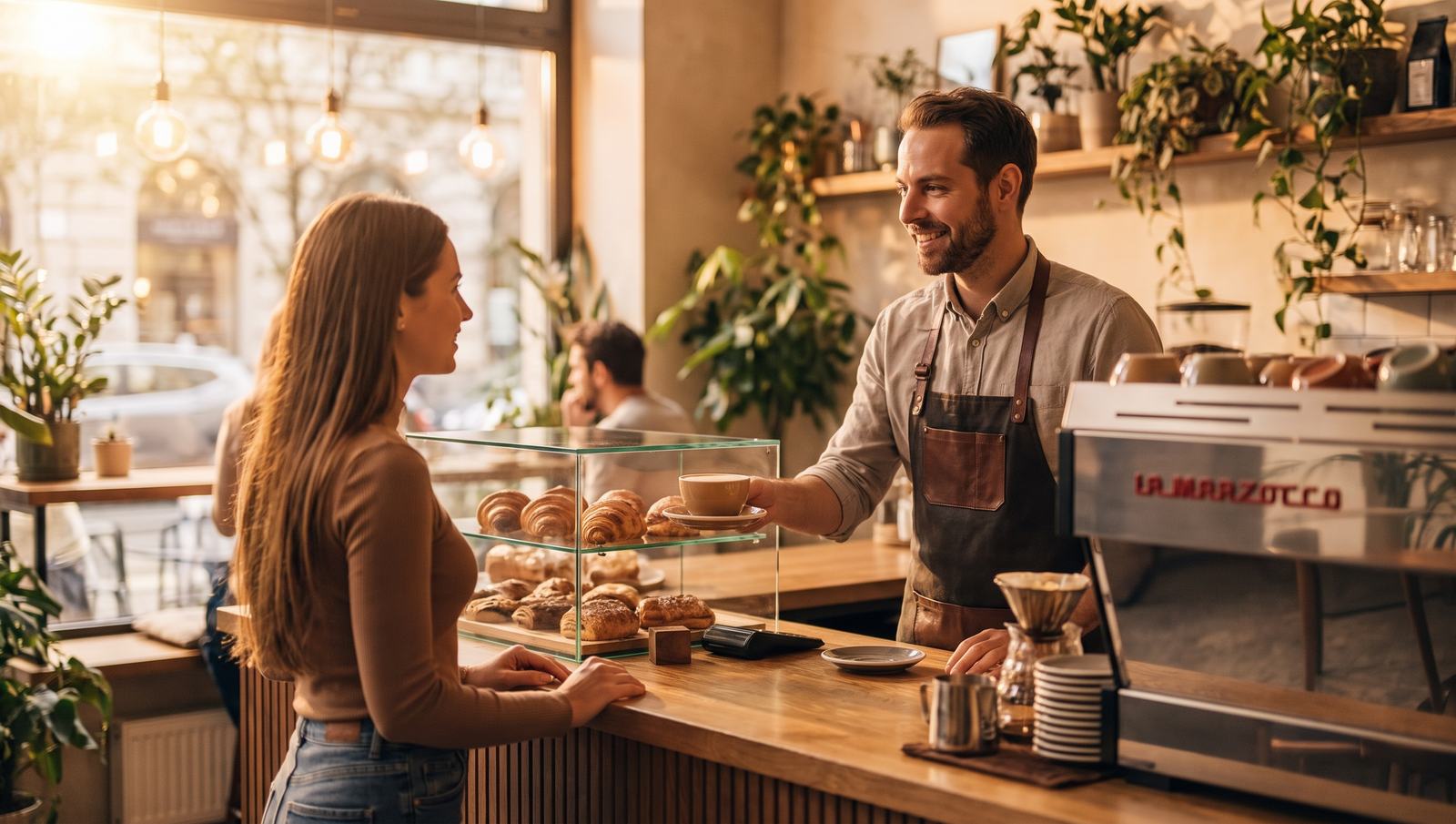
A barista hands a flat white across the wooden counter to a guest, with pastries in the glass display case beside them, in morning light

Guests remember the coffee, not the queue.

Counter, kiosk, table: one menu, one POS, the same numbers.

02. Getting started

Three steps to your first morning rush

You don't get a project. You get a working POS by the time you next open.

  1. Step 1

    Demo

    In one hour we show you live how it would work for you, with your own drinks menu and display case.

  2. Step 2

    Setup

    Products, milks and syrups with surcharges, recipes, the stamp card and QR codes for the tables. We build the first configuration together with you.

  3. Step 3

    First morning

    We train your team, and you can reach us during the first busy mornings if questions come up.

0.00/5Guest rating
0+Partner venues
0+Orders served

Real numbers from Qriosum partners

03. The package

What exactly do you get?

Everything a café needs to run day to day, in one account.

  • POS at the counter, in the browser, on a tablet
  • Milk, shot and syrup options with surcharges
  • Eat in or takeaway, with the VAT rate adjusting
  • Kiosk and order display for the morning rush
  • QR ordering and payment from the table
  • Stamp card, points and coupons at the POS
  • Stock from recipes, waste with reasons, stock counts
  • Reports by day, hour and product, NTAK in the day close
04. Questions

Frequently asked questions

What hardware do I need?

Qriosum runs in the browser: the counter needs a tablet and a card terminal, no server. The cash register needs the Qriosum Android app or a small Windows helper program. You add a kiosk when the morning queue calls for it.

What if the internet goes down?

You can't sell without internet, so you need stable Wi-Fi, and a phone hotspot will do as a backup. We say this honestly: we don't promise offline operation.

Do I keep my regulars from the paper stamp cards?

Yes. Guests can be imported from Excel together with the card numbers already handed out and their point balances. We'll talk about the stamps collected on paper cards at the demo.

Do guests have to download an app?

No. The QR code opens in the browser, with no download. To collect stamps, they log in from the QR menu.

How does NTAK work?

The POS sends the data to Hungary's national hospitality data reporting system (NTAK) in the background, and the daily NTAK close is one step of the day close, so you don't have to deal with it separately.

Do I need a kiosk for it to work?

No. Every module switches on when you need it. Many cafés start with the counter POS and QR codes, and the kiosk comes later.

How much does it cost?

At the demo you get an offer tailored to your café, based on its size and needs.

Contact

Let's talk.

Got a question, or want to see it live? Book a free online demo, or write to us! We run hospitality venues ourselves, and we test the system in our own bar too. You get fast, personal, clear help straight from us, not through a ticket system.

Online demo

Book a time

In an online demo we show you what the system could do for you. Ask us anything.

  • 60 minutes
  • Google Meet
  • Budapest time

Pick a day and a time

Loading available times…
Message

Want to know more?

Leave a message, and we'll get back to you as soon as we can.

I accept the privacy policy*