Barion Pixel
Solution · Bar and restaurant

Less rushing,
more guests.

QR ordering from the table, POS at the bar, reservations, stock and regulars in one system. Tuned for the situations that make every day hard.

Runs in the browser on tablets and phones. Guests don't need to download an app.

Illustration: the floor plan of a small bistro with indoor tables, a bar and a terrace. Guests order from the QR code on the table, the order shows in orange on the table, a paid table turns green, and at the top you see the number of open tables and today's sales.

01. The evening

Six situations everyone in hospitality knows.

For each one, a simple example shows what Qriosum does. The examples are interactive: go ahead and click.

  1. 01 Short-handed
  2. 02 Reservations
  3. 03 Staff turnover
  4. 04 Losses at the bar
  5. 05 Returning guests
  6. 06 Day close
01Short-handed

Two servers, twelve tables, and it's Friday night.

Good staff are scarce, but the crowd doesn't get any smaller. Guests wait first for their order, then for the bill, and meanwhile the table doesn't turn.

How Qriosum solves it

Guests order and pay from the table; the server brings the order.

There's a QR code on the table: the guest orders, and the item goes straight to the bar and the kitchen. At the end they pay in the same place, without waiting for the bill.

QR menu & ordering: details

Friday, 20:30 · illustration

Two servers, twelve tables. Switch it over and watch the clocks.
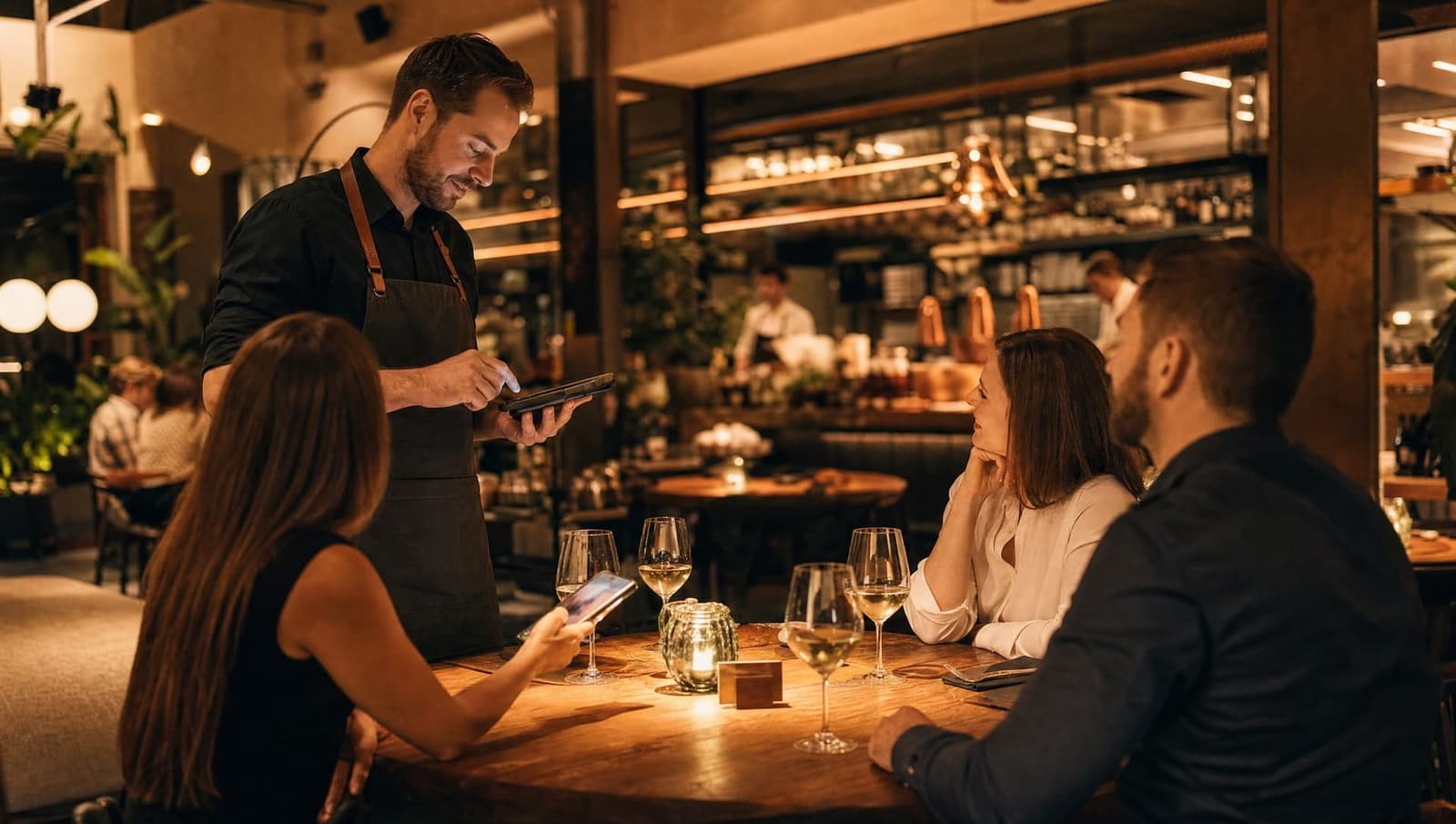
Illustration: twelve tables at peak time. With servers only, tables wait 11 minutes on average for ordering and the bill. With servers plus QR on the table, guests order and pay from their phones, the wait drops to 3 minutes, and the servers only bring food and drinks.
02Reservations

Phone, Messenger, a notebook, and you gave away table six twice for Friday.

If reservations live in several places, sooner or later they clash, or a bookable table stays empty.

How Qriosum solves it

One calendar and one table map that don't allow double bookings.

You enter a booking for four at 19:00: you see which table is free, and the system helps you resolve a clashing time.

Table reservations: details

Friday night · booking matrix

Three requests, one book. Click them.

Bookings today: 5

Click a request: the matrix puts it in place.

  • 15-minute grid
  • No double bookings
  • One booking, several tables
  • Google Calendar export
An illustration you can try: a Friday night booking matrix with five tables between 17:00 and 23:00. You enter requests that came by phone and Messenger with one click, and accept the booking that came through Neery. The matrix doesn't allow a clashing booking; then you pick another table.
03Staff turnover

A new bartender every month, and everyone knows the shared password.

If everyone works under the same login, you never find out who changed what, and the new person has access to everything from day one.

How Qriosum solves it

Everyone gets their own PIN, with rights set by role.

Bence logs in as a bartender with a personal PIN: Bence can sell but can't void a receipt. If Bence switches off a product, the change log shows the name next to it.

Team and permissions: details

Lock screen · POS 1

Your own PIN instead of a shared password. Pick a colleague.

Pick a user

Logged in with PIN

Bence Tóth

Bartender custom role

  • Selling, tables, billsallowed
  • Giving discountsmax. 10%
  • Switching products on/offallowed
  • Cash movementsallowed
  • Voiding receiptsdenied
  • Daily statisticsdenied
  • Products and prices in the admindenied

Change log · POS · 21:14

Bence Tóth · Homemade lemonade: active Yes → No

4-digit PIN · locks after 2 minutes of inactivity

An illustration you can try: the POS lock screen with three colleagues. Clicking a name plays the PIN login; then you see what the colleague's role allows and denies, plus a line from the change log about what they changed under their own name.
04Losses at the bar

Drinks are going out, but the POS doesn't know about it.

A forgotten round, a generous pour, and at the end of the month a case is missing. A handwritten list won't tell you where or when.

How Qriosum solves it

The stock count compares what you counted with what the POS sold.

You count the shelf: the system shows how much there should have been, how much there is, and what the difference is worth at purchase cost.

Inventory: details

Weekly bar stock count · illustration

Review: expected and counted, product by product.

Review
Shortage
0 Ft
Surplus
0 Ft
Net
0 Ft
Jägermeister 0.7 l
Opening 6 btl · sold 35 × 4 cl
expected4 btl
3.4btl
at closing
Aperol 0.7 l
Opening 5 btl · sold 28 × 6 cl
expected2.6 btl
2.6btl
at closing
Soproni draft 30 l keg
Opening 60 l · sold 84 × 0.5 l
expected18 l
14.5l
at closing
Tonic 0.25 l
Opening 48 pcs · sold 30 × 1 pc
expected18 pcs
19pcs
at closing

Adjust with the − / + buttons, or close the count. Values at purchase cost.

Illustration: reviewing a bar stock count. From the POS sales, the system works out the expected stock and compares it with the counted amount. The shortage shows in red, in forints, and when you close the count, stock is set to the counted amount.
05Returning guests

A guest comes once, and you never see them again.

Bringing a guest back costs less than winning a new one. Without a system, you don't even know who your regulars are.

How Qriosum solves it

New guests get a reason to come back, and you see your regulars in one system.

They pay by QR, and a personal return coupon appears on their phone. The list of returning guests updates on its own from the number of orders.

Loyalty program: details

Regulars · illustration

You see who comes back. New guests get a reason to.

Everyone who has joined your club.

  • Petra Kiss14 orders · last: yesterday Returning
  • Ádám Tóth2 orders · last: 3 weeks ago
  • Máté Horváth9 orders · last: 3 days ago Returning
  • Zoé Varga1 orders · last: 5 weeks ago
  • Lili Szabó6 orders · last: last Friday Returning

The group updates on its own from the receipts.

The screen after payment. You decide what share of guests gets a coupon.

Illustration: the guest list shows how many times each guest ordered and when they last came. The Returning guests group fills itself from the receipts. After paying by QR, a new guest gets a personal return coupon with a unique code, valid for 30 days from the next day, and can email it to themselves.
06Day close

After midnight, another hour of admin behind the bar.

Counting the till, matching card sales, reporting to Hungary's national hospitality data reporting system (NTAK), the day's numbers. Tired, it's easiest to make mistakes.

How Qriosum solves it

The day close walks you through step by step, NTAK close included.

You press day close: you count the till, enter the terminal's summary, the system reconciles, and the day is in front of you by payment method.

NTAK reporting: details

Day close · Friday · illustration

You count it and enter it. The POS handles the rest.

Open · 23:38
  1. Open billsIs every bill paid?automatic
  2. Counting the tillYou enter it by denominationyou, about 3 min
  3. Matching card salesEnter the terminal summaryyou, 1 min
  4. Cash register reconciliationComparing receipts and VATautomatic
  5. NTAK daily closeStarts with the day closeautomatic
  6. Staff summaryWho sold how muchautomatic

You can't close with an open bill. If the cash register doesn't match, it walks you through the fix.

Illustration: day close at the POS. Checking open bills, counting the cash by denomination, entering the card terminal's summary, reconciling the cash register, the NTAK daily close and the staff summary. At the end, the day's sales by payment method.
A server takes an order on a tablet at a restaurant table in the evening

Guests remember the evening, not the POS.

Bar, terrace, kitchen: one system, the same numbers.

02. Getting started

Three steps to your first live night

You don't get a project. You get a working system.

  1. Step 1

    Demo

    In one hour we show you live how it would work for you, with your own menu and tables.

  2. Step 2

    Switchover

    Products, prices, tables and permissions. We do most of the product upload.

  3. Step 3

    Go live

    We train your team, and you can reach us during the first busy nights if questions come up.

0.00/5Guest rating
0+Partner venues
0+Orders served

Real numbers from Qriosum partners

03. The package

What exactly do you get?

Everything a bar or restaurant needs to run day to day, in one account.

  • POS at the bar and in your servers' hands
  • QR ordering and payment at the table
  • Table reservations with a calendar and table map
  • Own PIN and role for everyone
  • Stock and stock counts from sales
  • Loyalty program and return coupons
  • NTAK reporting in the background
  • Support in Hungarian from day one
04. Questions

Frequently asked questions

What devices does it run on?

It runs in the browser; the bar and the servers need touchscreen devices. Guests use their own phones, with no app to download.

Can it replace my current system?

Yes, it covers the whole daily operation. At the demo we go through what the switchover needs. We do most of the product upload.

Do guests have to download an app?

No. The QR code opens in the browser, with no download or sign-up.

Does it work without the loyalty program?

Yes. Every module switches on when you need it.

How much does it cost?

At the demo you get an offer tailored to your business, based on its size and needs.

Contact

Let's talk.

Got a question, or want to see it live? Book a free online demo, or write to us! We run hospitality venues ourselves, and we test the system in our own bar too. You get fast, personal, clear help straight from us, not through a ticket system.

Online demo

Book a time

In an online demo we show you what the system could do for you. Ask us anything.

  • 60 minutes
  • Google Meet
  • Budapest time

Pick a day and a time

Loading available times…
Message

Want to know more?

Leave a message, and we'll get back to you as soon as we can.

I accept the privacy policy*