Barion Pixel
Solution · Asian restaurant

Wok, sushi,
Wolt, Foodora.
On one screen.

Kiosk, English QR menu, POS, delivery apps and kitchen printing by station in one system. Tuned for the six situations that make an Asian kitchen's day hard.

Runs in the browser on tablets and phones, with no server on site. Guests don't need to download an app.

Illustration: the Nami Ramen & Sushi tablet at lunchtime. Orders from the counter, the kiosk, the QR code, Wolt and Foodora arrive on one order screen, and each moves from New to Cooking to Ready. At the top: today's orders by channel and today's revenue. Next to it, the wok's kitchen slip: only the wok items, with the chosen options and the note.
01. The kitchen

Six situations every Asian kitchen knows.

For each one, a simple example shows what Qriosum does. The examples are interactive: go ahead and click.

  1. 01 Lunch rush
  2. 02 Delivery apps
  3. 03 Foreign guests
  4. 04 Big menu
  5. 05 Ingredients
  6. 06 Staff turnover
01Lunch rush

Twenty people queue at noon, and everyone wants their ramen differently.

One bowl is four or five decisions: broth, spice level, protein, toppings. At the counter everything has to be said, asked back and typed in. That's what makes the queue slow, and that's how bowls come out wrong.

How Qriosum solves it

Guests build their own bowl at the kiosk and pay there.

Tonkotsu, spice level two, extra egg: the kiosk walks the guest through the required choices, shows the surcharge, and won't move on while anything required is missing. The order goes straight to the kitchen while the next guest pays at the counter.

Self-service kiosk: details

Kiosk · lunch rush · try it

Build the bowl. The kiosk won't take an incomplete one.

12.

Ramen, your way

base price 3,290 Ft

Broth Required

Spice level Pick one

Protein Required

Toppings max. 3 · 0 selected

3,290 Ft

Still to choose: Broth, Protein

CartEat in

  • 51. Gyoza (6 pcs)1,990 FtWith ponzu sauce
  • 61. Bubble tea1,690 FtMango · tapioca

Total3,680 Ft

After payment the order goes to the kitchen with all the choices. Nobody has to ask again.

A kiosk screen you can try, for a ramen. Broth and protein are required choices, spice level is one choice from zero to three, and up to three toppings can be added at a surcharge. While a required choice is missing, the Add to cart button can't be pressed. Next to it, the cart with the items, the choices and the total.
02Delivery apps

Wolt beeps, Foodora beeps, and someone writes the order down on a slip.

Takeaway and delivery are a big part of sales, and every platform arrives on its own channel. Whatever gets carried over to the POS and the kitchen by hand can lose details, and the wok, the sushi bar and the drinks station end up asking each other.

How Qriosum solves it

Every order on one screen, and every station gets only its own items.

A Wolt order comes in: pad thai at spice level two, salmon maki and bubble tea. You accept it with one tap, and the wok, sushi bar and drinks printers each print their own slip, with the chosen options and the note. Nothing has to be retyped.

POS system: details

Order screen · try it

Accept it, and every station gets its own.

  • Pad thai · Spice: 2 · Chicken · no coriander
  • Salmon maki (8 pcs) · Wasabi on the side
  • Bubble tea · Mango · Tapioca

Wolt W-4F2A: one tap and it's off.

An order screen you can try, with three incoming orders: one from Wolt, one from the kiosk and one from Foodora. Select an order to see its items and chosen options. After you accept it, the wok, sushi bar and drinks printers each print only their own items, with the options and the note.
03Foreign guests

The guest can't read the menu and points at number 14.

Tourists, foreign workers, students: many people don't read Hungarian. Meanwhile, they have to be told about allergens before ordering, and misunderstood sesame or peanuts is more than an inconvenience.

How Qriosum solves it

In the QR menu, guests read the dishes in English, allergens included.

They scan the code on the table and switch to English. They see that the tonkotsu ramen contains gluten, egg, soy and sesame, and order on their phone. The kitchen gets the same number 14, but in Hungarian.

QR menu & ordering: details
04Big menu

Eighty dishes on the menu. Which ones carry the business?

Every dish needs ingredients in the fridge, prep in the morning and a place on the menu. Until you see in numbers what sells, you don't dare take anything off, and so the menu just keeps growing.

How Qriosum solves it

You see revenue and units sold per product, both ends of the list.

You rank the last 30 days: more than half of revenue comes from six dishes. You flip the list and see the ten that only a few guests order each month. That becomes your next, shorter menu.

Reports: details

Ranking by product · last 30 days · illustration

Eighty dishes. Six bring in half.

Your day is built on these: always keep their ingredients in stock, and put them up front on the menu and the kiosk.

Illustration: the product ranking of an Asian restaurant with 80 dishes over the last 30 days, by revenue or units sold. 52.0% of revenue comes from the top six dishes: tonkotsu ramen, pad thai, poke bowl, salmon maki, pho bò and bubble tea. The bottom eight dishes together make 0.7% of revenue. The list can be flipped, so the least-ordered dishes show too.
05Ingredients

Salmon is expensive and won't wait: what doesn't sell today isn't sushi tomorrow.

Fresh fish and avocado are the most expensive and fastest-spoiling items. Order too much and it goes in the bin. Order too little and there's no nigiri on Saturday night.

How Qriosum solves it

Every sale deducts the recipe, and shortages go onto the purchase order on their own.

One poke bowl takes 120 grams of salmon and half an avocado. On Friday night the salmon drops below its stock level: you get an email, and it's already on the draft purchase order for the fish supplier, at purchase price.

Inventory: details

Stock · Friday · illustration

Drag through Friday and watch the salmon.

17:00

Illustration: a sushi bar's Friday stock between 11:00 and 22:00. Every sale of salmon nigiri, salmon maki and poke bowl deducts its recipe from the salmon fillet, sushi rice, avocado and nori. Avocado drops below its stock level at 20:00 and salmon fillet at 21:00. Then an email goes out, and the item goes onto the supplier's draft purchase order at purchase price.
06Staff turnover

A new colleague every month, and no time to show them everything.

If everyone works under the same login, the new person has access to everything from day one, and afterwards you can't tell who did what.

How Qriosum solves it

Everyone gets their own PIN, and everyone can only reach what their role allows.

Linh logs in at the counter with their own PIN. Linh can sell and, if the salmon runs out, switch off the nigiri, but can't void a receipt. After a period of inactivity, the POS locks itself.

Team and permissions: details

Lock screen · try it

Pick a colleague and type in their PIN.

Demo PIN: 2580

The POS is locked

Everyone logs in with their own PIN and sees what their role allows. After a period of inactivity the POS locks itself, so it never stays open under anyone's name.

  • LinhCounter staff
  • BenceStore Manager

A lock screen you can try. Pick one of two colleagues: Linh at the counter or Bence as store manager. After typing the demo PIN, the POS unlocks and shows what that colleague can do. Counter staff can sell, switch off a sold-out product and give at most a 5% discount, but can't reject an order, void a receipt or open the admin area. The store manager can do all of that.
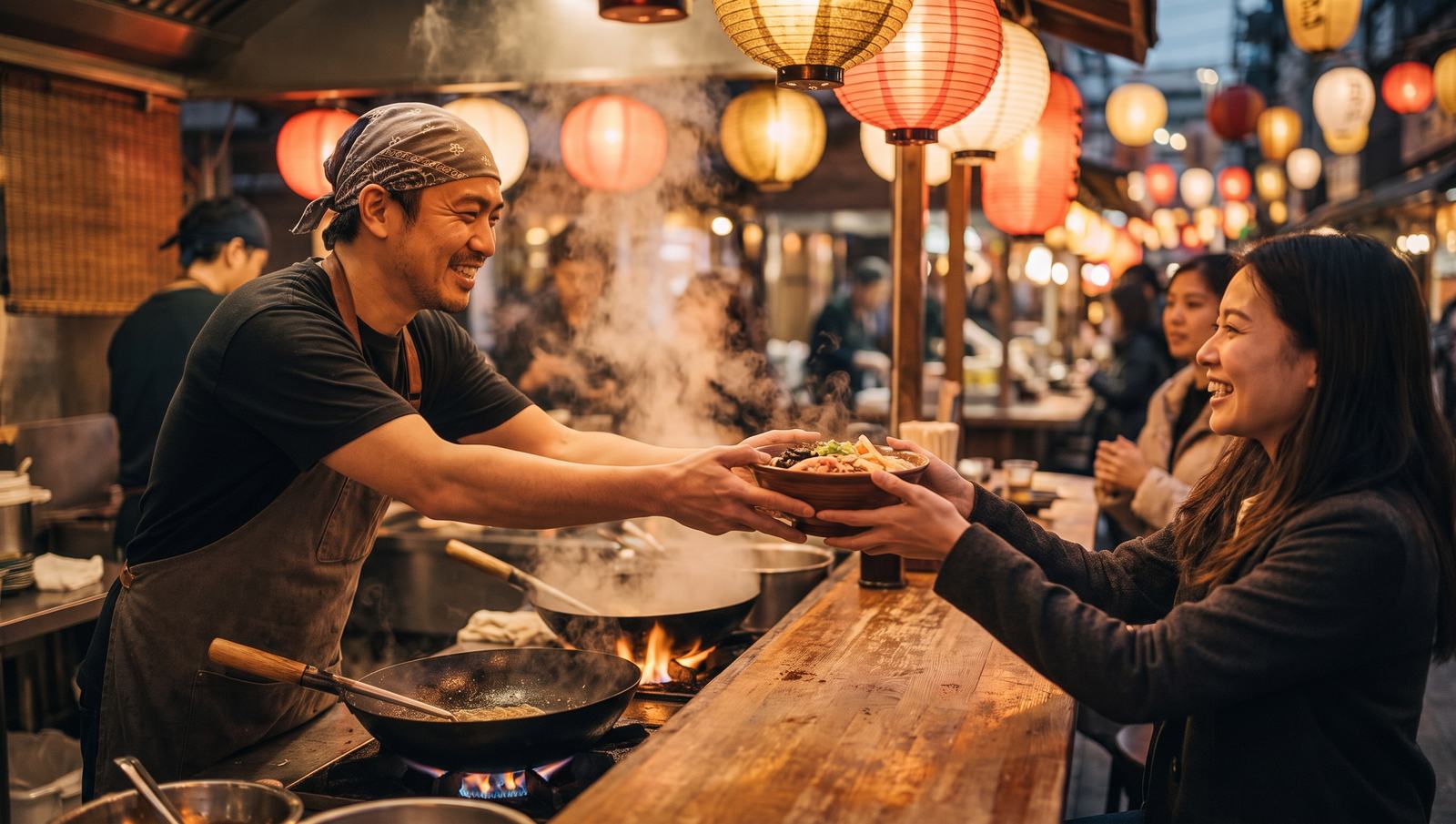
A chef hands a steaming bowl of ramen across the counter from the open kitchen to a smiling guest, with woks and paper lanterns behind him

A hundred dishes on the menu. Every one goes out the way it was ordered.

Counter, kiosk, QR, Wolt and Foodora: one screen, and every station gets its own slip.

02. Getting started

Three steps to the first live lunch

You don't get a project. You get a working system before the counter fills up again.

  1. Step 1

    Demo

    In one hour we show you live how it would work for you, with your own menu and stations.

  2. Step 2

    Menu and stations

    Dishes, options, allergens, English names, and which category goes to which printer. We build the first setup together with you.

  3. Step 3

    Go live

    We train your team, and you can reach us during the first busy lunches if questions come up.

0.00/5Guest rating
0+Partner venues
0+Orders served

Real numbers from Qriosum partners

03. The package

What exactly do you get?

Everything an Asian restaurant or takeaway needs to run day to day, in one account.

  • One order screen: counter, kiosk, QR, Wolt and Foodora
  • Self-service kiosk with required choices
  • QR menu in Hungarian and English, with allergens
  • Kitchen printing by category, to the right station
  • Reports by product, hour and day of the week
  • Stock from recipes, purchase orders by supplier
  • Own PIN and role for everyone
  • Support in Hungarian from day one
04. Questions

Frequently asked questions

Do you connect my Wolt and Foodora orders?

Yes. Wolt and Foodora orders arrive on the same order screen as the ones taken at the counter, at the kiosk and by QR, so nobody has to retype them. You can also set a separate Wolt and Foodora price per product.

In which languages do guests see the menu?

Hungarian and English. You enter the dish names and descriptions in English too, guests switch with one button, and they see the allergens in their own language as well.

Do I need separate printers for the wok and the sushi bar?

If you want separate slips, yes: you set per category which printer an item goes to. Kitchen printing needs the Qriosum Windows helper program or the Android app; everything else runs in the browser.

What does the restaurant need?

Internet: Wi-Fi or even a mobile hotspot. You can't sell without internet, so it's worth keeping a backup connection. No server is needed; Qriosum runs in the browser on a tablet, laptop or Android device.

Does it handle NTAK reporting too?

Yes. Reporting to Hungary's national hospitality data reporting system (NTAK) runs in the background, and the daily NTAK close is one step of the day close.

Do guests have to download an app?

No. The QR code opens in the browser, with no download or sign-up.

How much does it cost?

At the demo you get an offer tailored to your restaurant, based on its size and needs.

Contact

Let's talk.

Got a question, or want to see it live? Book a free online demo, or write to us! We run hospitality venues ourselves, and we test the system in our own bar too. You get fast, personal, clear help straight from us, not through a ticket system.

Online demo

Book a time

In an online demo we show you what the system could do for you. Ask us anything.

  • 60 minutes
  • Google Meet
  • Budapest time

Pick a day and a time

Loading available times…
Message

Want to know more?

Leave a message, and we'll get back to you as soon as we can.

I accept the privacy policy*